Pause, resume and stop a recording
Use the Recording Island to pause, resume and stop, and know what happens at the time limit.
The Recording Island
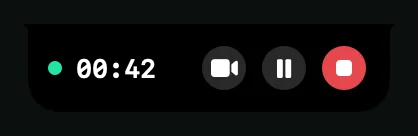
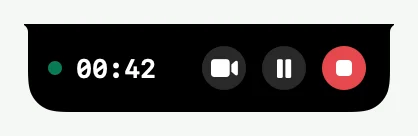
While you record, the Island at the top of the screen shows a live dot and the time. On the right are the camera control, Pause recording and Stop recording.
During the countdown, click Cancel to call the recording off.
Pause and resume
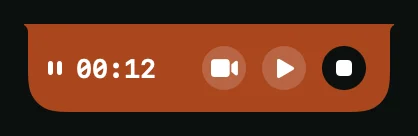
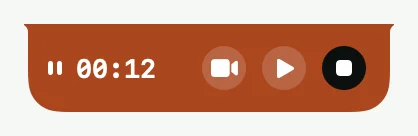
- Click Pause recording. The Island turns orange.
- When you are ready, click play. A short countdown runs before recording continues.
- To stay paused during that countdown, click Stay paused, or press esc.
A paused recording is still one recording. The paused time is left out.
Stop
Click Stop recording, or say “shoyu stop” and then “shoyu confirm”. Shoyu shows Processing…, then uploads the recording. See After you stop.
Time limit
A recording can be up to 60 minutes long. The Island warns you with Stops in 5 minutes and Stops in 1 minute, then Shoyu stops and saves the recording at 60 minutes. After two minutes, the timer turns amber.
If a device disconnects
If the microphone or camera you picked disconnects, Shoyu pauses the recording and shows which device it lost. When it reconnects, Shoyu tells you. Shoyu never resumes by itself, so you decide when to carry on.
Related guides
Still stuck? Write to hello@shoyu.cc. A person answers.