Use your Inbox and email notifications
Catch up on comments, mentions and account notices, and choose which emails you get.
Open your Inbox
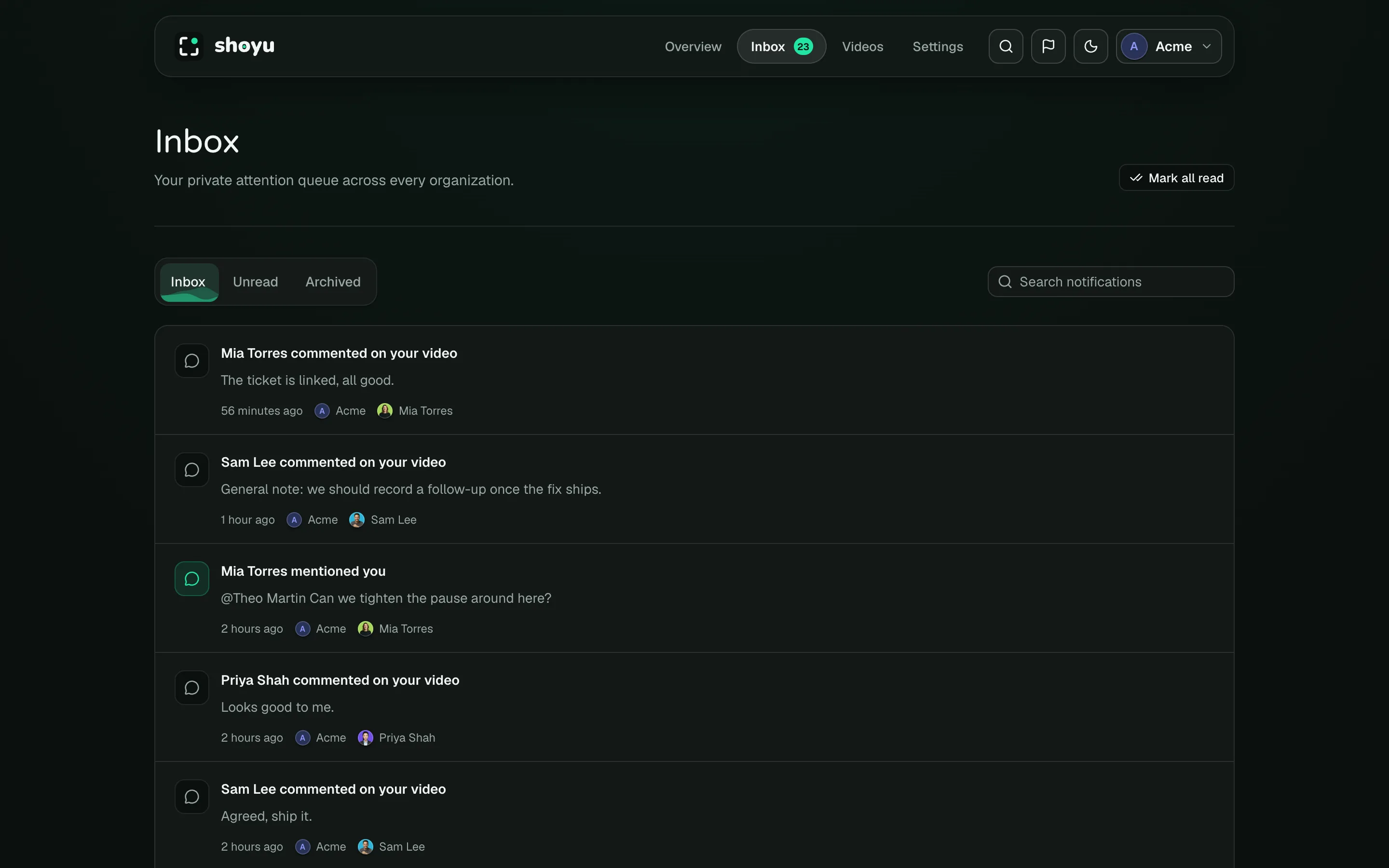
Click Inbox in the dashboard header. The badge shows how many items are unread. Your Inbox covers every organization you belong to, and only you see it.
You get items when someone comments on your recording, replies in your thread, mentions you or resolves your comment. Account notices also arrive here: invites, role changes, billing and recordings about to expire.
Work through it
- Click an item to open it. Comment items open the recording at the comment.
- Use Inbox, Unread and Archived to filter.
- Unread items have a bold title. Point at an item to show its buttons: Mark as read (or Mark as unread) and Archive. In Archived, use Move to Inbox to bring an item back.
- Type in Search notifications to find items by their text, organization or the person who sent them.
- Click Mark all read to clear the badge.
Choose your emails
Shoyu emails you about mentions, replies and resolved comments. To stop these, open the account menu, choose Account, then Notifications, and turn off collaboration emails. Billing, invitation, access and upload failure emails always send.
Related guides
Still stuck? Write to hello@shoyu.cc. A person answers.