Read the transcript and use captions
Follow along with the transcript, jump to any line, turn captions on or off, and correct the words.
Use the transcript
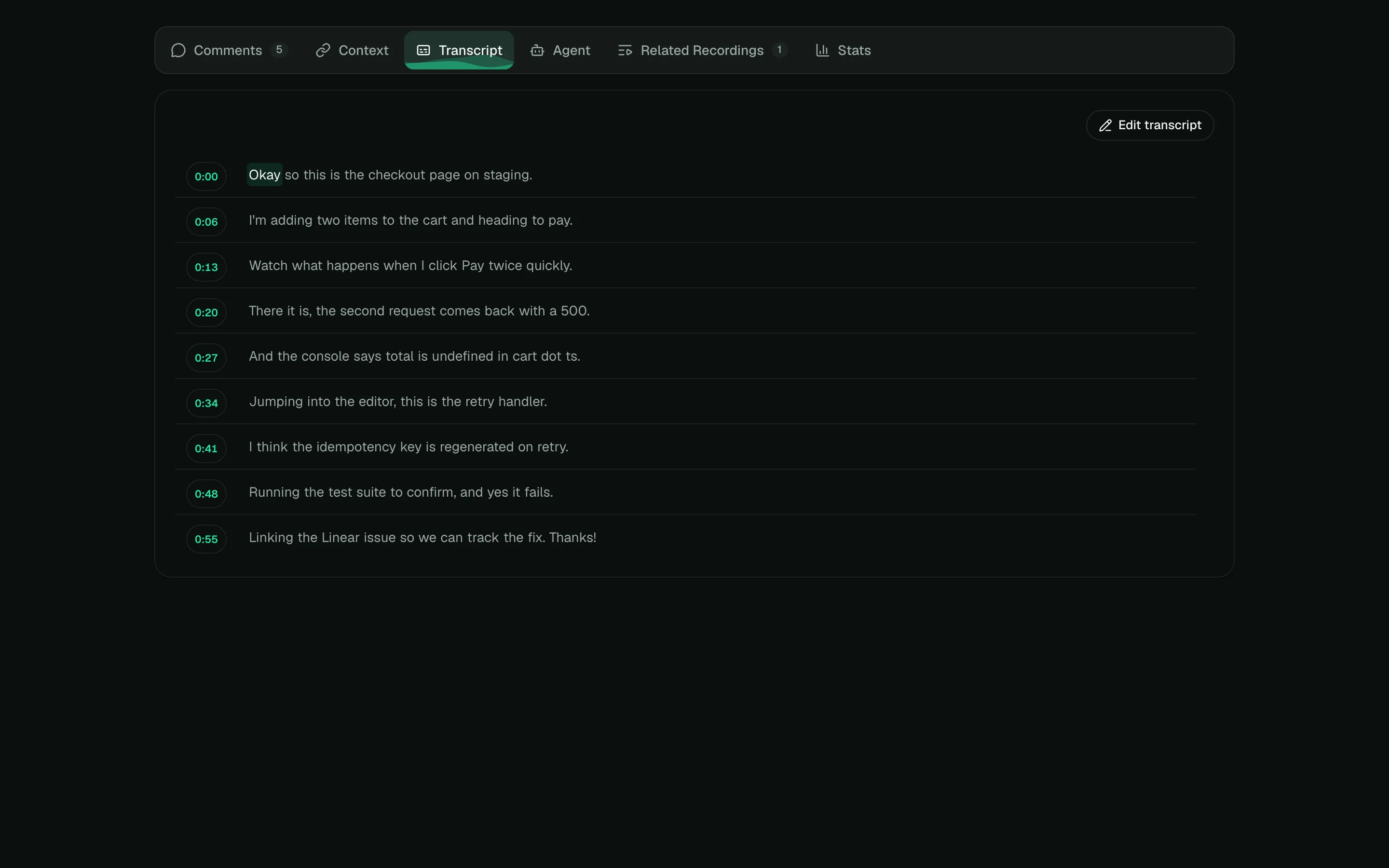
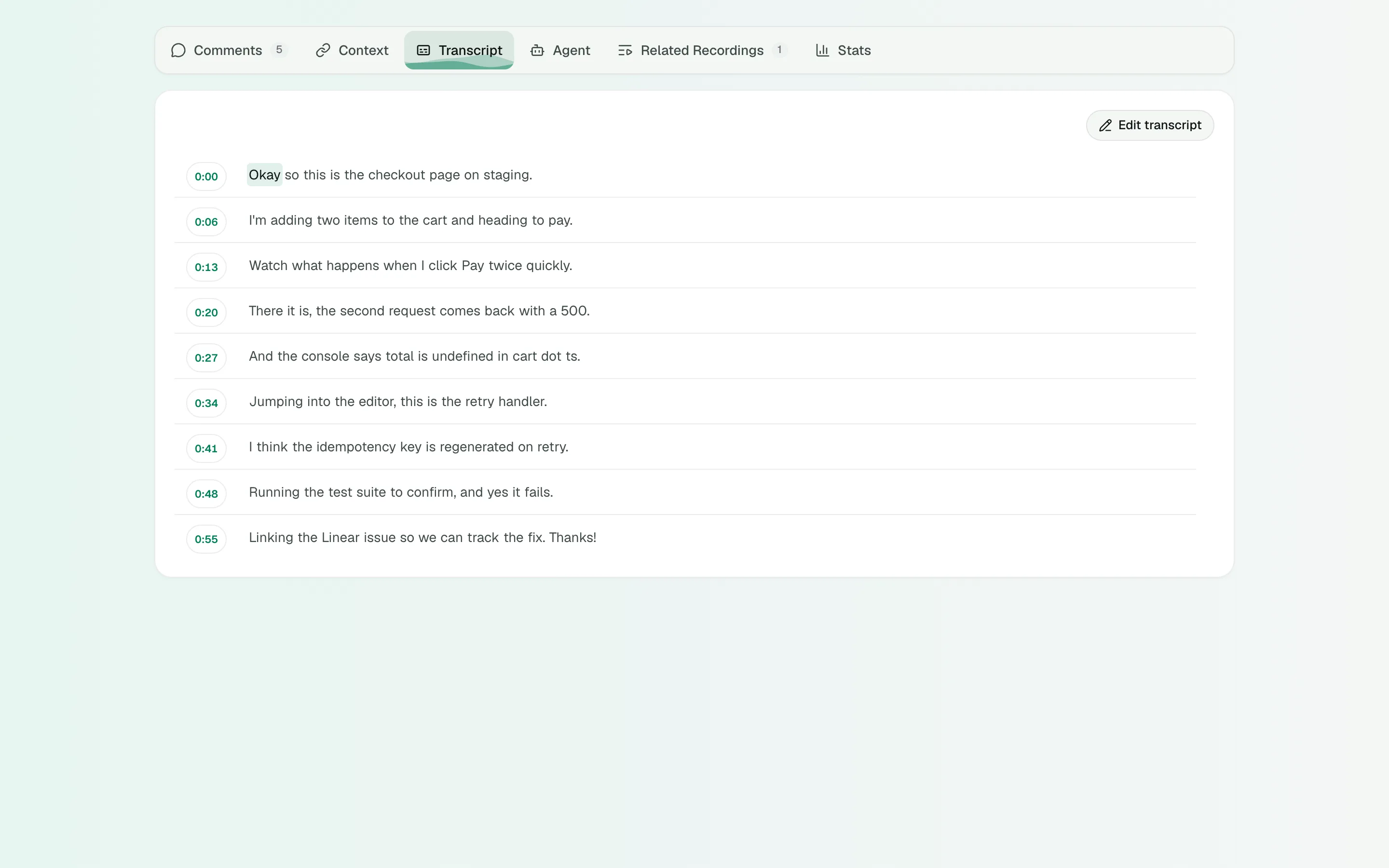
Open the Transcript tab. Each line starts with its time. Click a time to jump there. While the video plays, the list follows along.
Captions
Captions are on when a recording has a transcript. To turn them off, open Display options and click CC. The recording’s author can change how captions look in Studio.
Correct the transcript
Recording managers (the owner, and owners and admins of the organization) can edit it.
- In the Transcript tab, click Edit transcript.
- Each block starts with a time, a dash and the caption, such as
0:12 - Open the billing page. Change the words, or the times. - Click Save transcript, or press ⌘↩.
If a line has a mistake, Shoyu says One line needs a fix and keeps your edits. Remove transcript deletes it.
Related guides
Still stuck? Write to hello@shoyu.cc. A person answers.