Keyboard shortcuts
Every shortcut for the Mac app, the player, Studio and the IDE extension, and how to change the global ones.
Mac app
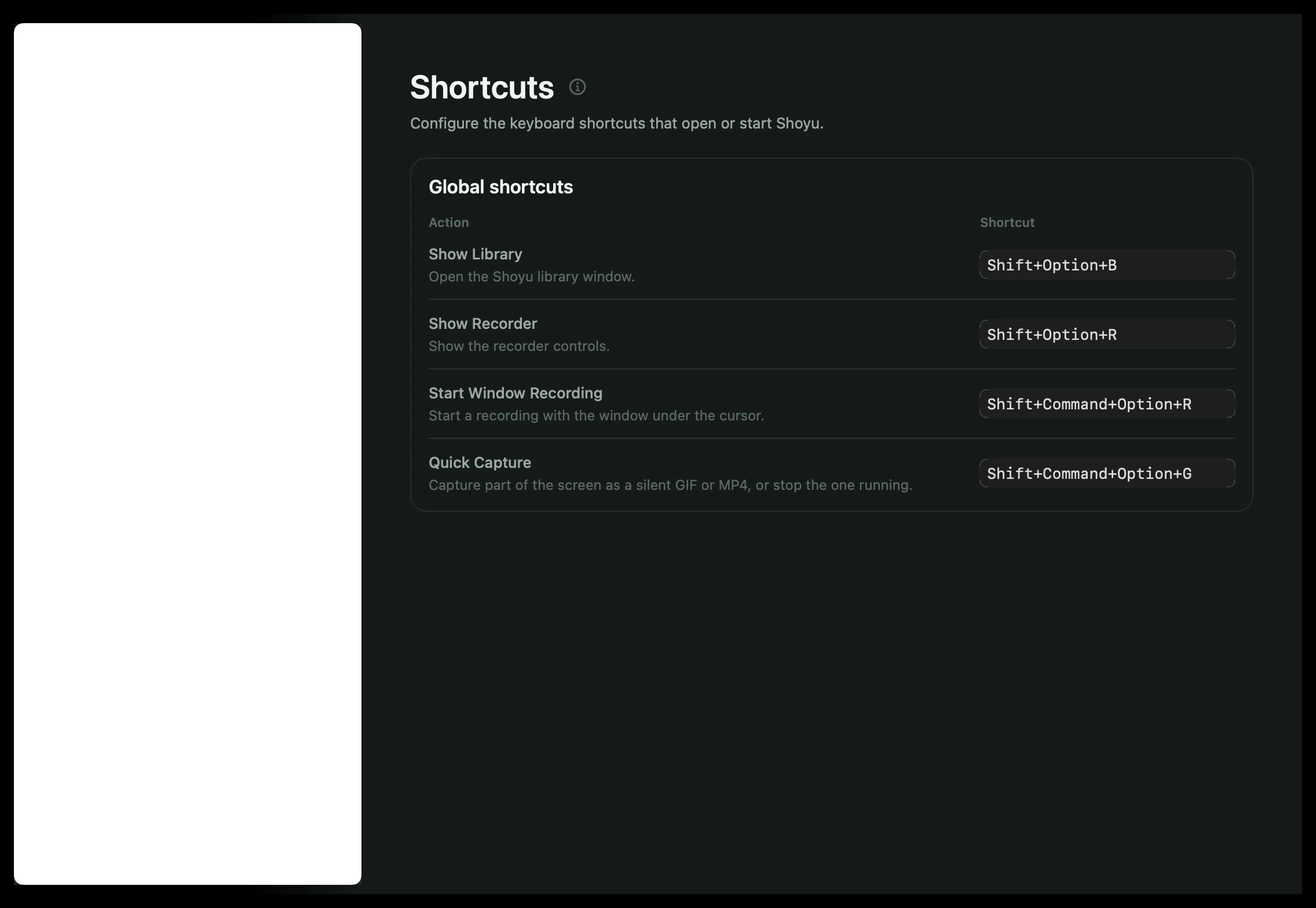
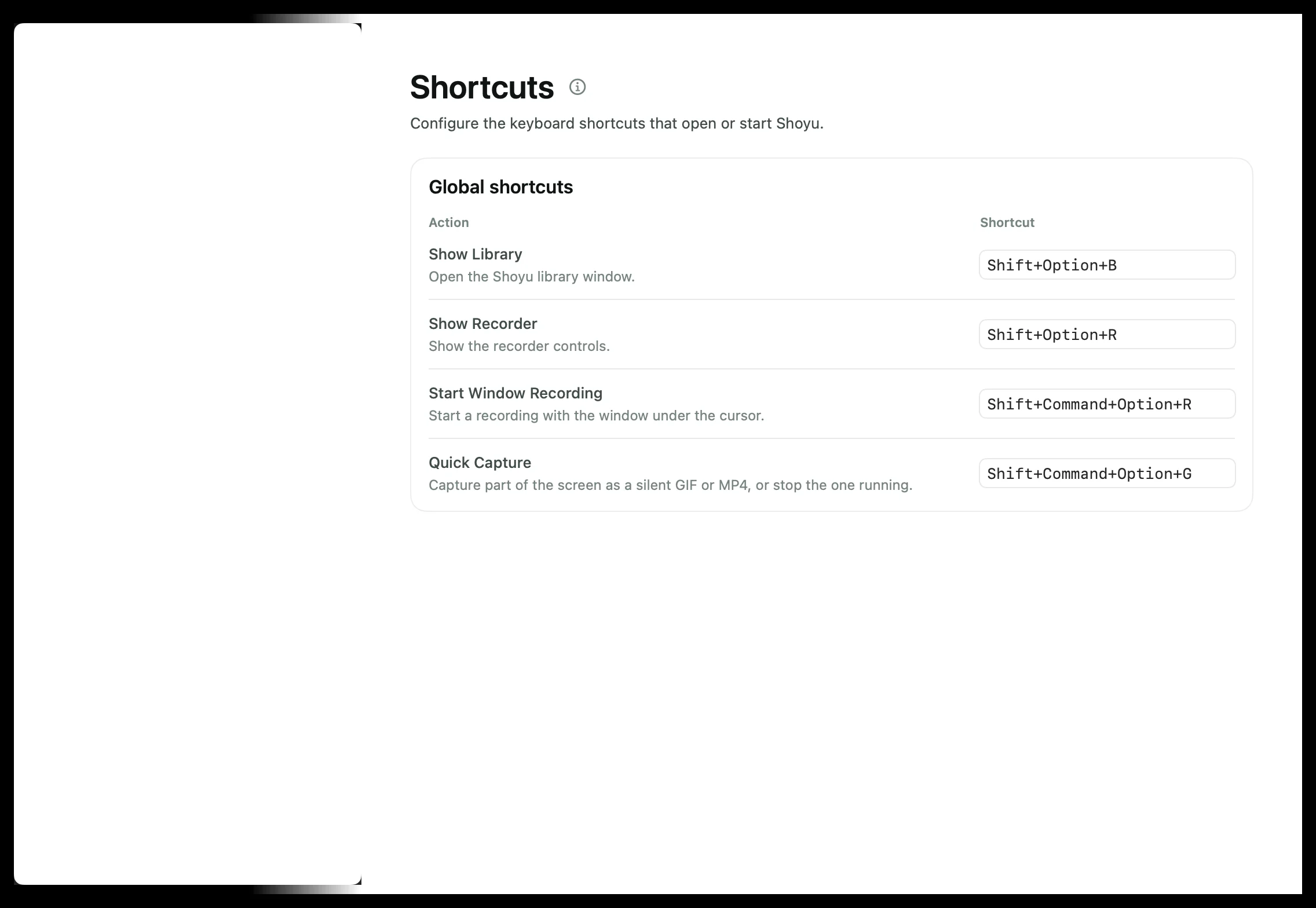
| Shortcut | What it does |
|---|---|
| ⌥⇧R | Show or hide the recorder. |
| ⌥⇧⌘R | Record the window under the pointer. |
| ⌥⇧⌘G | Start or stop Quick Capture. |
| ⌥⇧B | Show the Library. |
| ⌘, | Open Settings. |
| ⌘? | Open these help guides in your browser. It is also in the Help menu, as Shoyu Help Guides. |
To change a global shortcut, open Settings › Shortcuts and click it. A shortcut needs at least one modifier key, and cannot match another Shoyu, menu or macOS shortcut. ⌘, and ⌘? are menu shortcuts: they work while a Shoyu window is in front, and you cannot change them.
Player
Click the video first, so the shortcuts go to the player.
| Key | What it does |
|---|---|
| Space or K | Play or pause. |
| J or ← | Back 10 seconds. |
| L or → | Forward 10 seconds. |
| F | Fullscreen. |
| M | Mute. |
| T | Cinema mode. |
| esc | Leave a terminal replay. |
These keys do nothing while you are typing in a comment or another text field.
Studio
| Key | What it does |
|---|---|
| ⌘Z and ⇧⌘Z | Undo and redo. |
| Space | Play or pause. |
| ← → or A D | Step one frame on the filmstrip. |
| + and − | Zoom the filmstrip in and out. 0 fits the whole recording. |
| ⇧ and drag | Select a range on the filmstrip. |
| S and K | Skip or keep a cleanup suggestion. |
IDE extension
| Shortcut | What it does |
|---|---|
| ⌥⇧⌘S | Open the recorder, or stop the recording. |
| ⌥⇧⌘M | Mark a code moment. |
Related guides
Still stuck? Write to hello@shoyu.cc. A person answers.