Personal space limits and trimming
Your Personal space is free with limits. Here is what they are and what to do when a recording does not fit.
The limits
Every account has a Personal space that only you can use. It holds 10 hosted recordings at a time, each up to 2 minutes long, and keeps them for 14 days. Recordings you share from a team organization do not count.
When three or fewer slots are left, the dashboard and the Library show a banner. Click Manage videos to delete recordings you no longer need.
When a recording does not fit
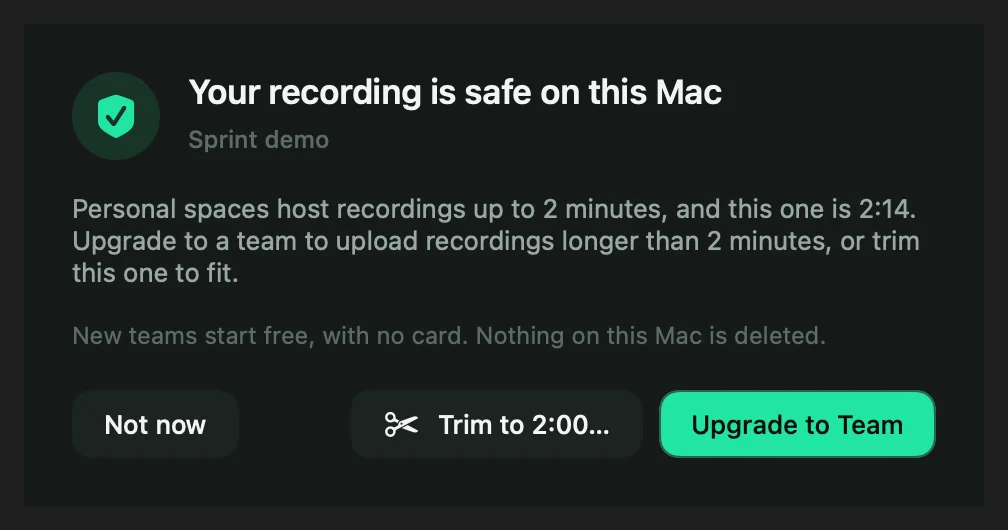
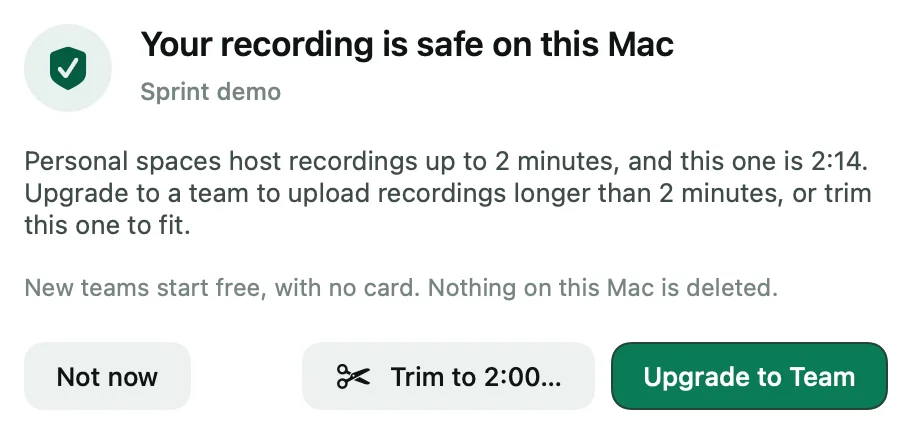
Shoyu keeps the recording on your Mac and explains which limit it hit. You can upload it to a team instead, trim it, make room, or choose Not now and decide later.
Trim to 2:00
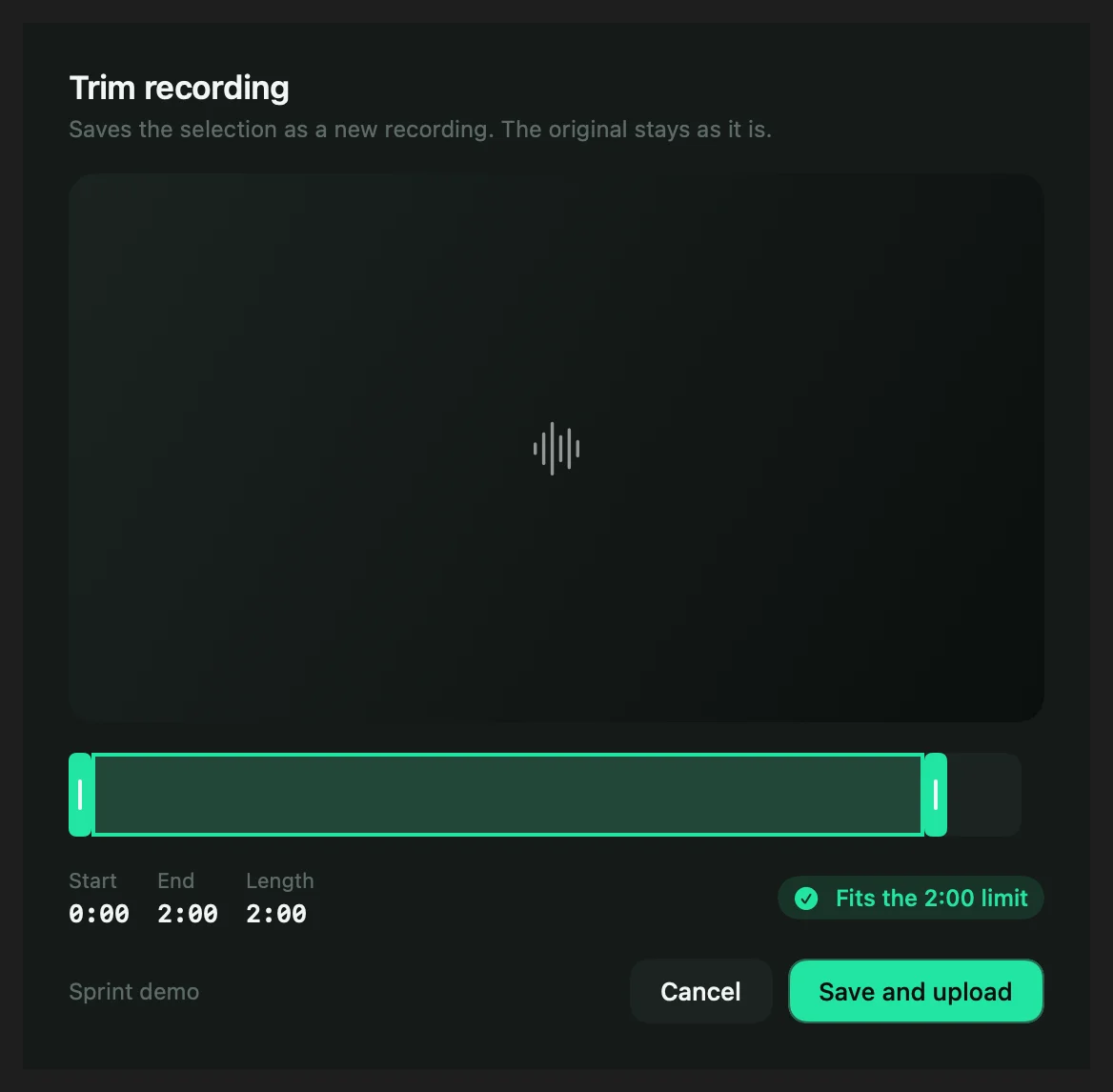
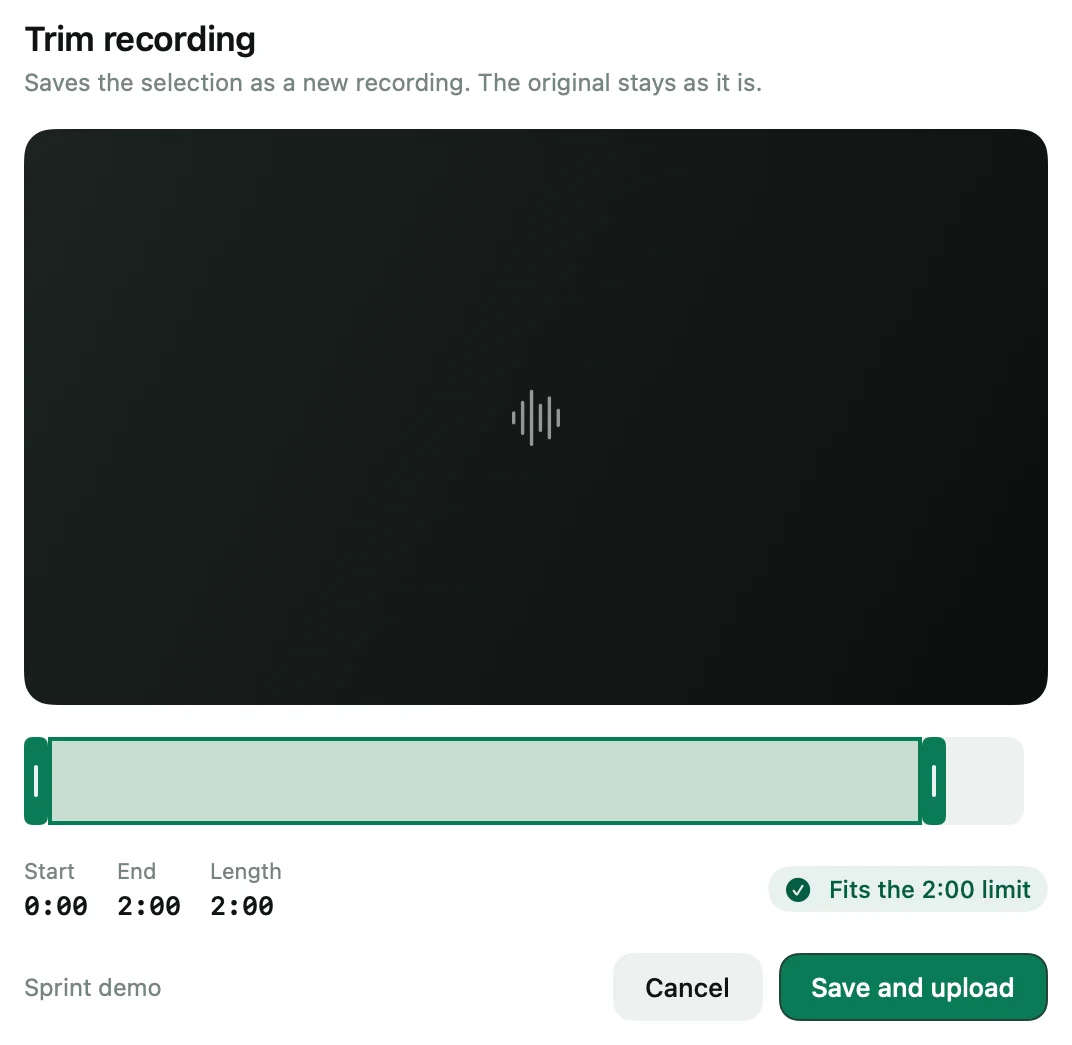
- In the limit sheet, click Trim to 2:00….
- Drag the start and end until the badge says Fits the 2:00 limit.
- Click Save and upload.
Shoyu saves the selection as a new recording with “(trimmed)” in its title. The original stays on your Mac as it was.
Related guides
Still stuck? Write to hello@shoyu.cc. A person answers.