Style captions and keyboard shortcuts
Choose how captions look on the video, fix their words, and decide which keyboard shortcuts viewers see.
Captions
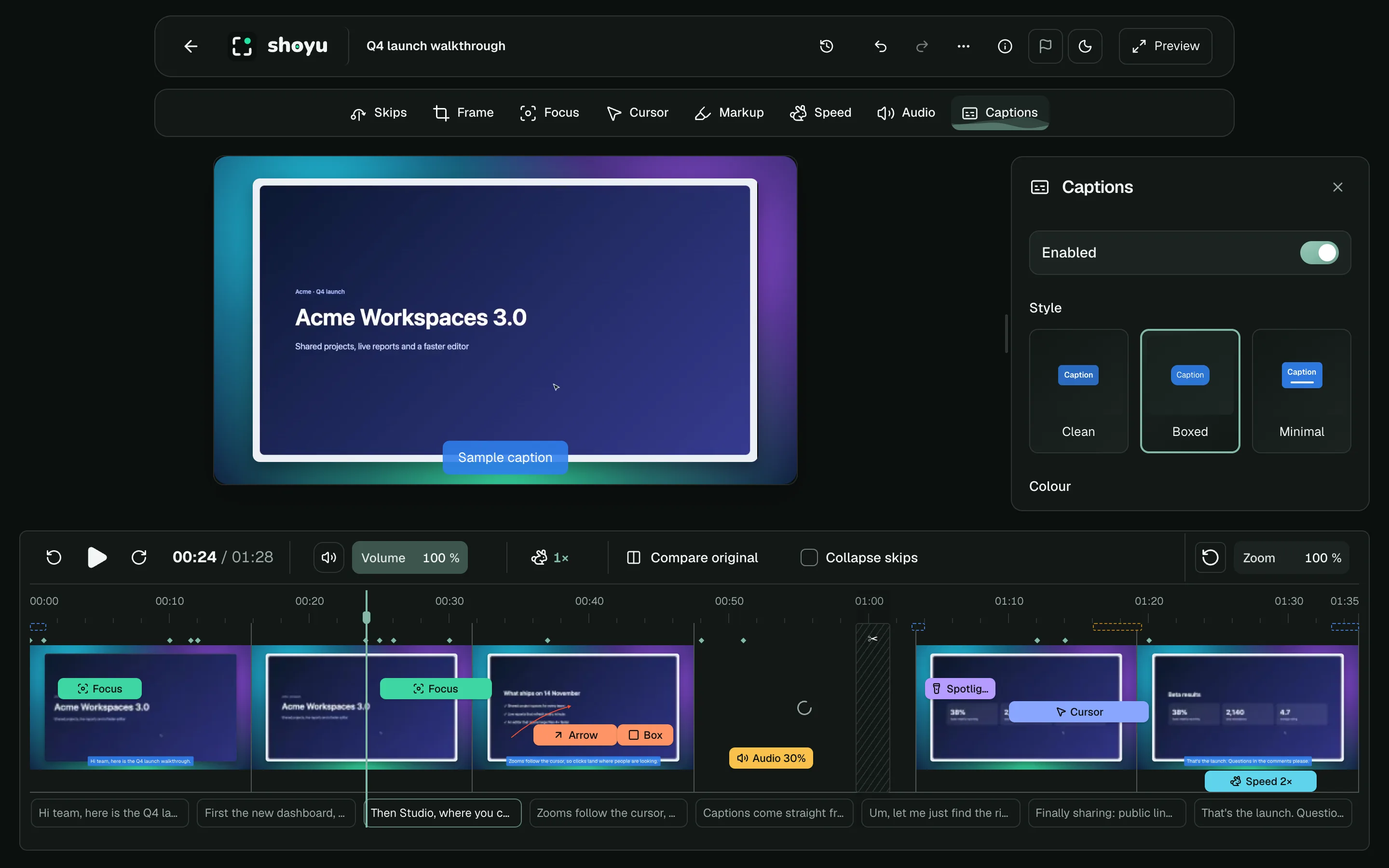
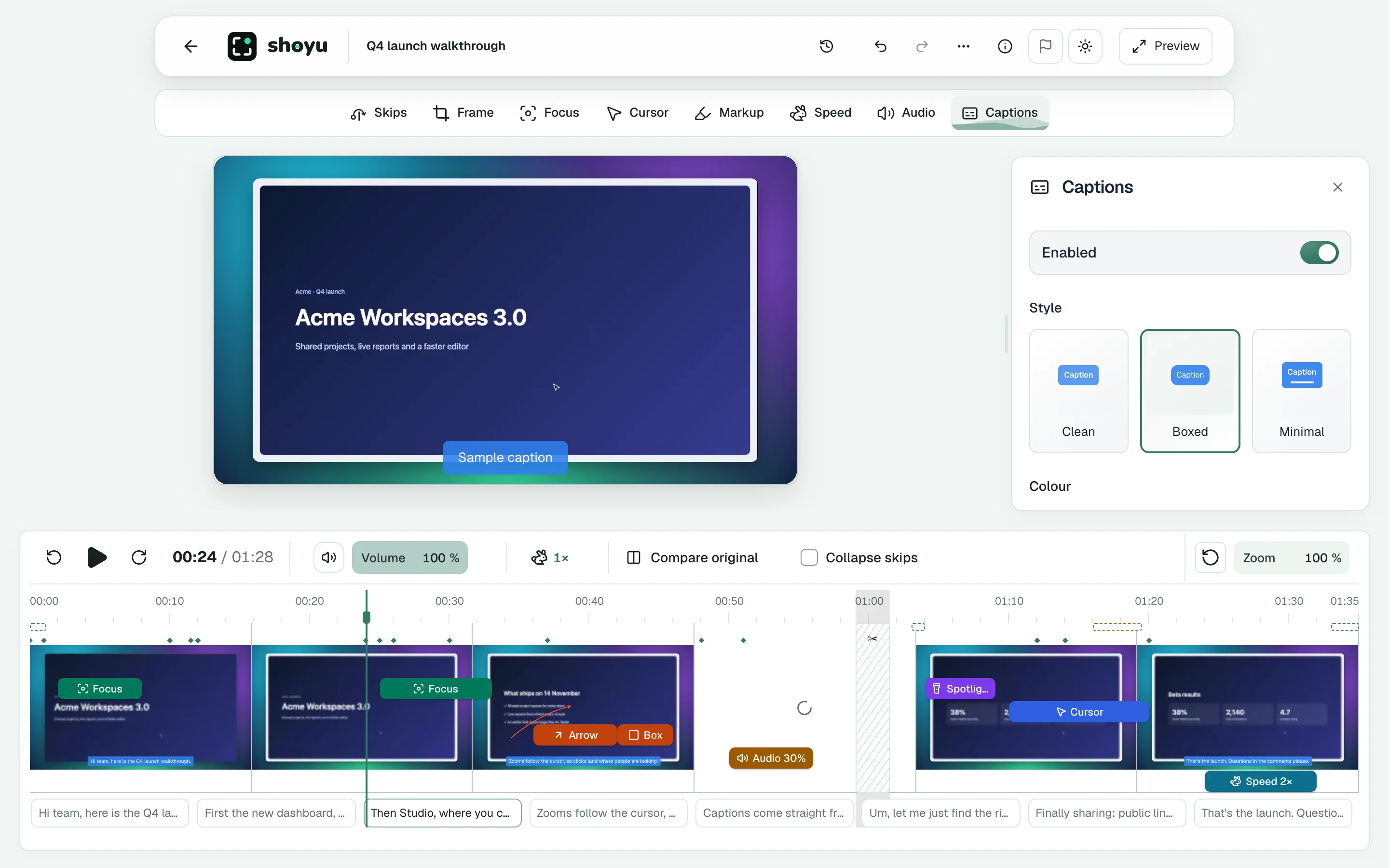
- Choose a style: Clean, Boxed or Minimal.
- Place them at the Bottom or the Center, and set the text size from 80% to 140%.
- Pick a colour, or Use the style’s own colour.
- Use Search transcript to find words, and edit them in place.
While the Captions tool is open, a sample caption shows on the video.
Keyboard shortcuts
When a recording has keyboard shortcuts turned on, the Shortcuts tool appears. Choose to show All keys or only Commands, where they appear, and their size. To hide shortcuts in part of the recording, select it on the filmstrip and choose Hide Shortcuts.
Related guides
Still stuck? Write to hello@shoyu.cc. A person answers.